Say the frame.
Then walk on.
Bulb is a free iOS field log for slow photography: medium format, large format, and any film shot deliberately. Say the frame once, out loud. "f 5.6, two seconds, minus one." When the scans come back from the lab, Bulb writes it into the EXIF of every frame. Shooting 35mm on aperture priority? Log nothing at all and the scans still come back tagged with camera, lens, stock, date and place.
free · iPhone · iOS 17+ · no account, no subscription, no tracking
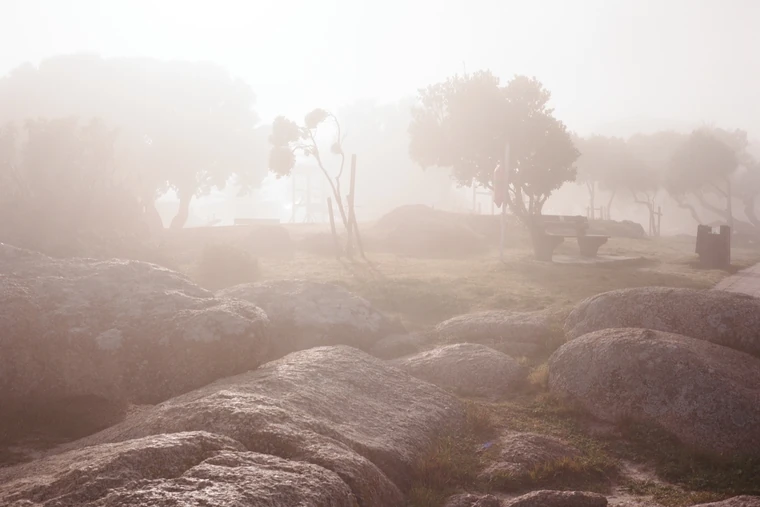

The whole thing, as it happens.
A real roll: eight sheets of HP5+ through a Linhof Technika, shot on the 30th of August, scanned, and sitting in Lightroom. Every screen below is the app's own screen, off the phone and the Mac, not a drawing of one.
-
01
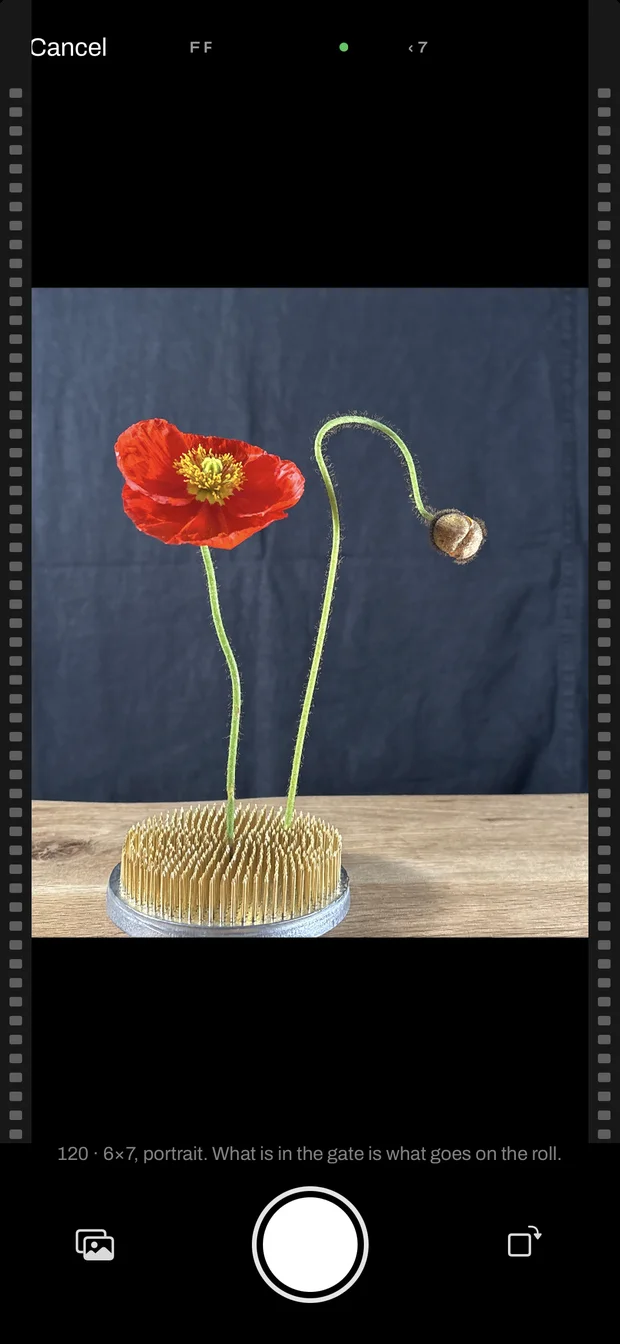
Take a sample shot
Tap the camera key and the phone photographs what the film is about to see, cropped to the shape of the frame. It stays on the phone. Later it is how the desk knows which scan is which, so two or three a roll is enough.
-
02
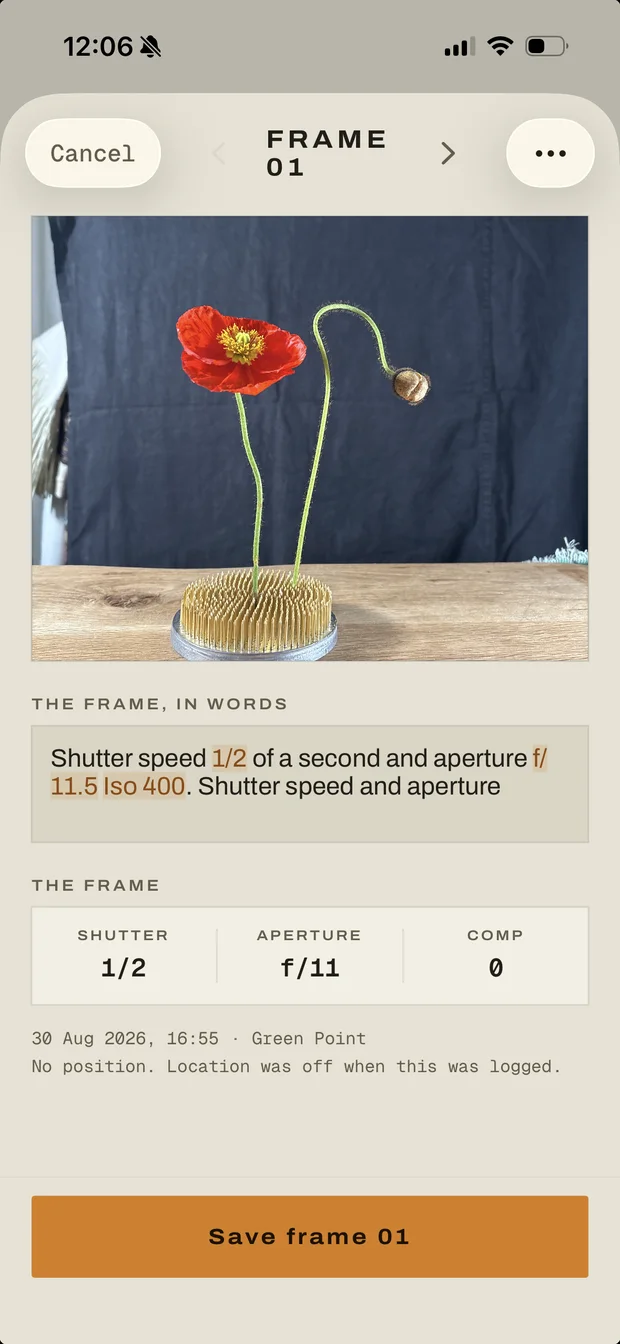
Say the frame
"Shutter speed half a second, aperture f 11.5, ISO 400." The words it took a reading from are marked where you said them, and the reading sits underneath, snapped to the dial: 1/2 at f/11. Tap LOG. Nothing to say? SKIP, and the sheet still counts.
-
03
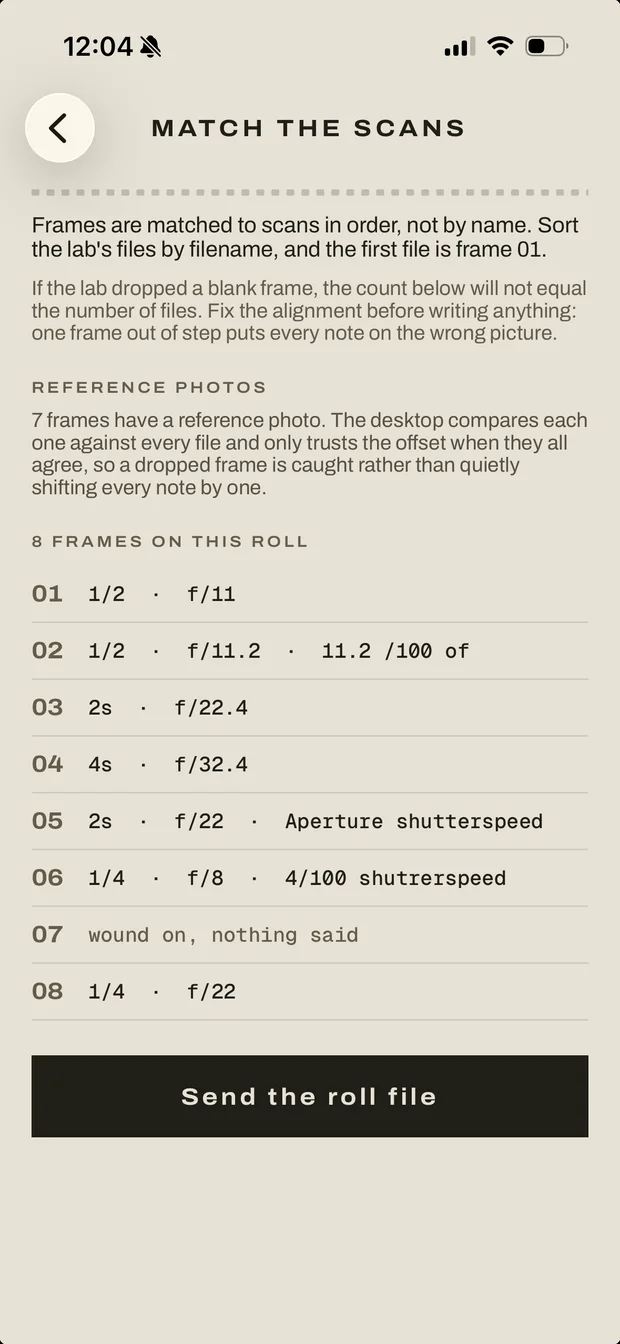
Close the roll
Wind the last sheet off. The roll becomes a proof sheet on the phone, and Match the scans hands you the roll file. Send it to the computer the scans will come back to.
-
04
Open it in Chrome
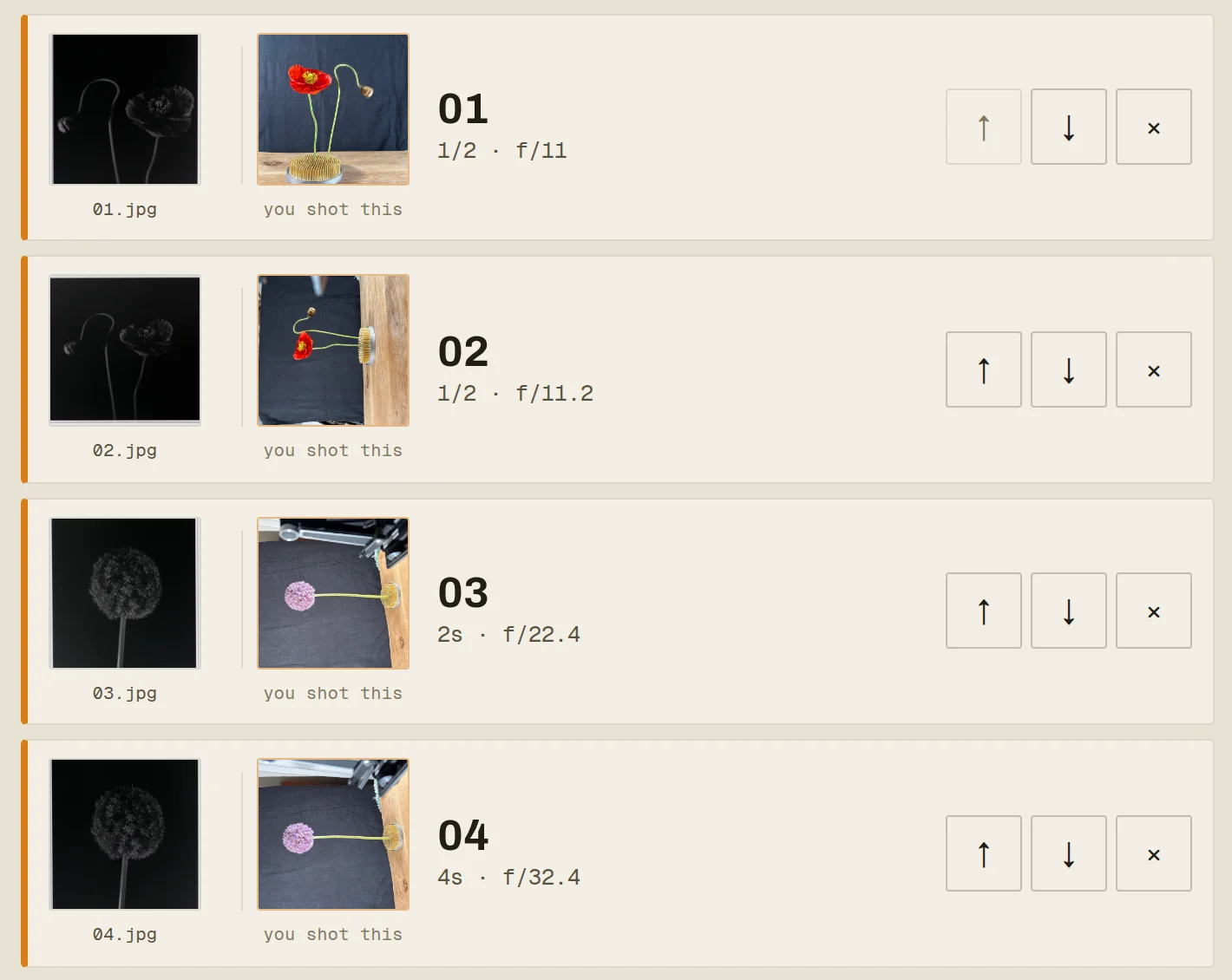
Go to bulb.film/desk and drop the roll file and the scans on it. Each scan sits beside the photograph you took of that frame, so checking the order is a look, not a job. Press write. The readings go into the JPGs, the pixels are not touched, and the originals are kept beside them.
-
05
Import into Lightroom
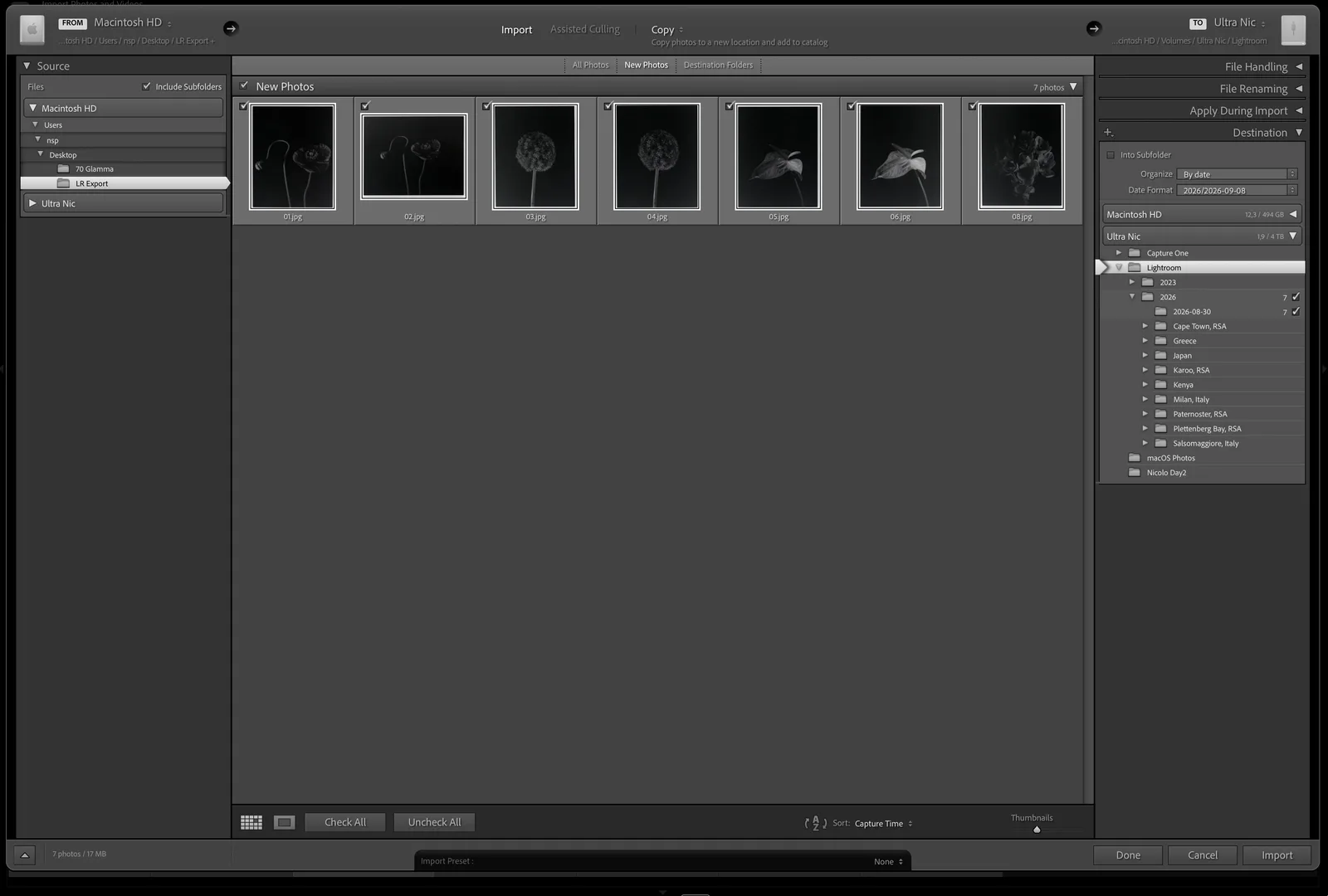
The same folder, the same files. Nothing to install and nothing to run. Lightroom reads the header the way it reads a digital camera's, and files the roll under the day it was shot.
-
06
It is all there
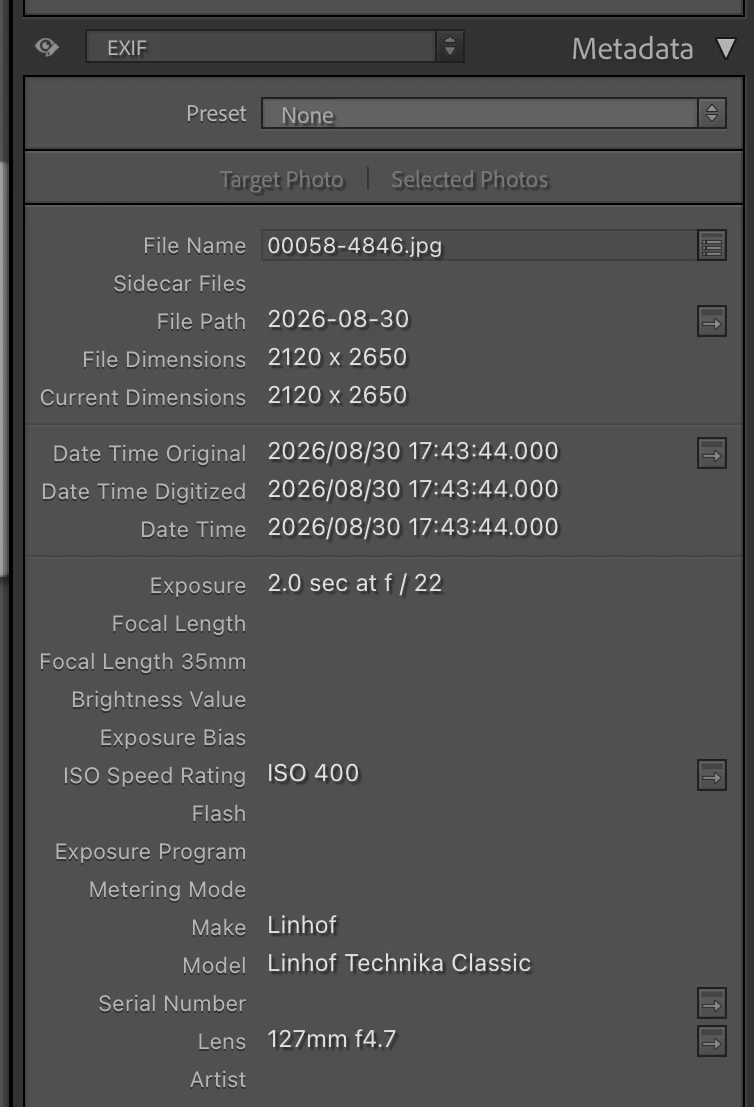
Exposure, ISO, the minute the sheet was exposed, the camera and the lens, and where you stood. In the Metadata panel, set the dropdown to EXIF. You can filter and search on every one of these, the same as with a digital file.
One sentence, three jobs, none of them yours.
The numbers come out of what you said, the reciprocity is done for the stock while the shutter is still open, and all of it waits for the scans.
"Sixtieth at f/5.6, minus a stop, straight into the sun through the fog."
You say it
One hand, eye still at the finder. It pulls the shutter, aperture and compensation out of the sentence and keeps the rest as the note. Plain pattern matching, so the same sentence always comes back the same way.
Ilford published HP5+ ^1.31
It does the maths
Reciprocity failure corrected while the shutter is still open, per stock, with the published source named. Where nobody has published a figure it says so instead of guessing.
ExposureTime 1/125
FNumber 8.0
ISO 200
DateTimeOriginal 21 Aug 16:47
GPSLatitude 34.1387 S
Model Mamiya 7 II
ImageDescription Tidal pool…
It ends up in the scan
Aperture, shutter, ISO, date, camera, lens and position, written into the EXIF of every scan by the desk. Lightroom reads it on import, as it would a digital file. Your pixels are untouched.
The rest of it happens while you walk on.
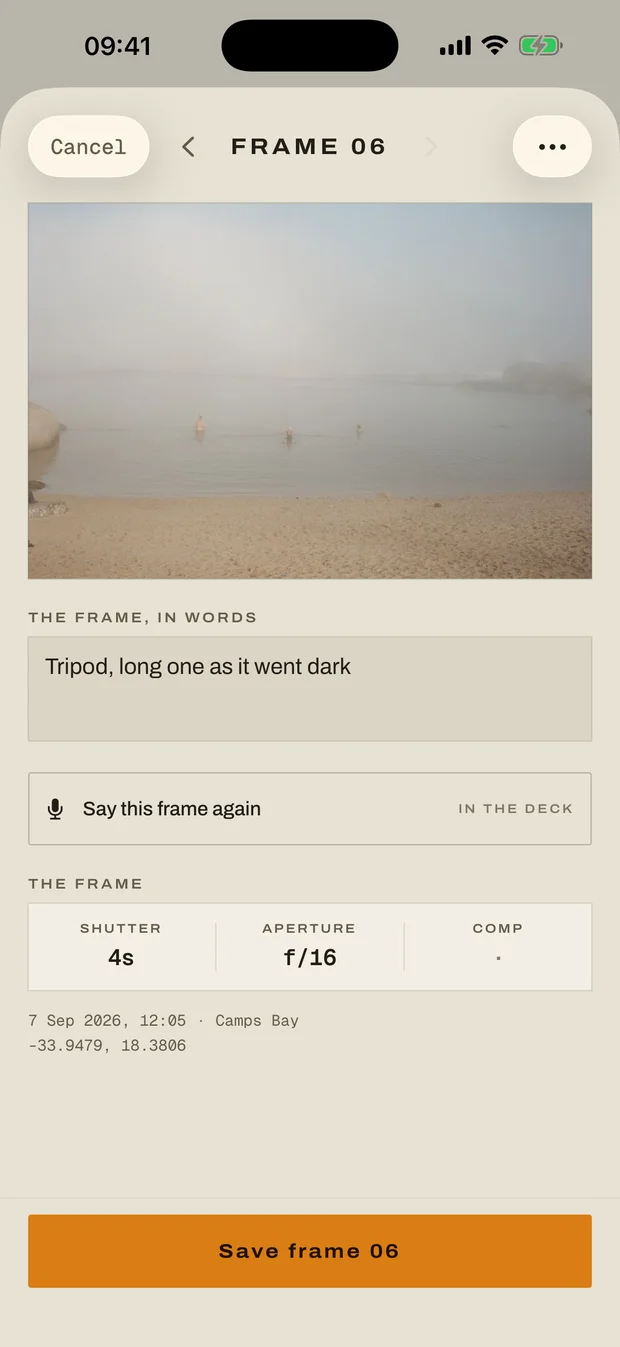
This is the app, photographed off a phone. Swipe it.
When and where, without writing it down
The time and the position come off the phone in your other hand. A film camera records neither.
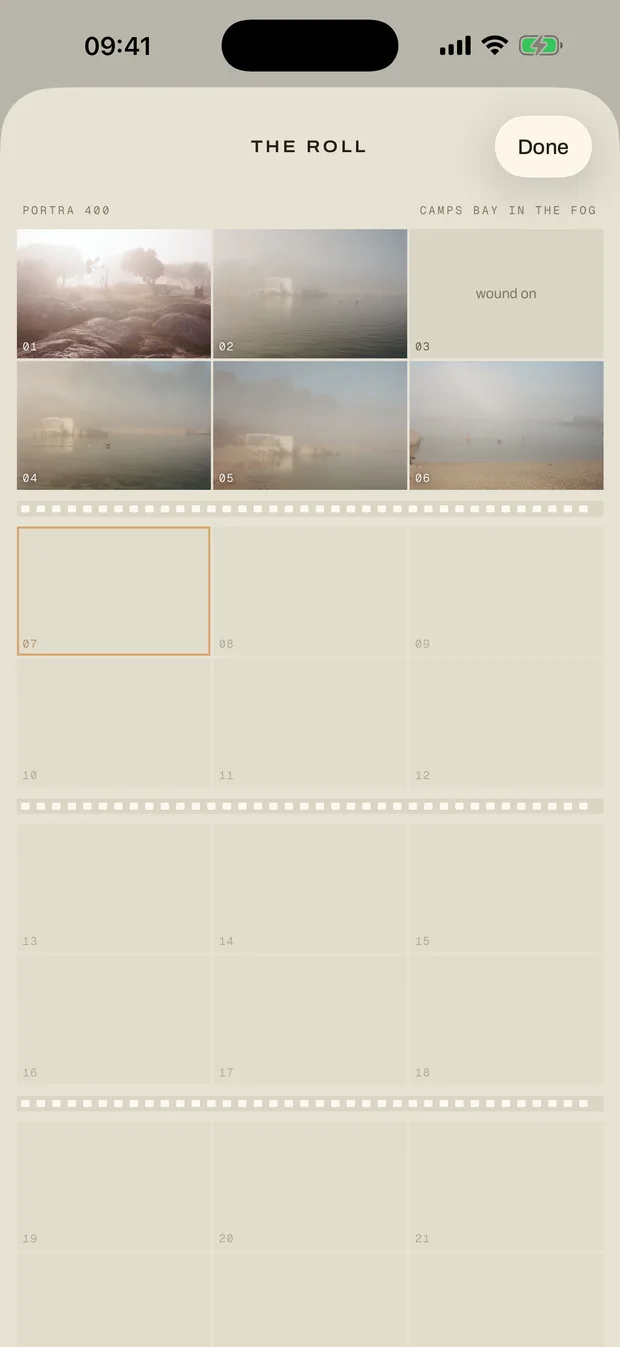
A proof sheet before the film is developed
Wind the roll off and it comes up all at once, cut into strips the way a lab prints one.
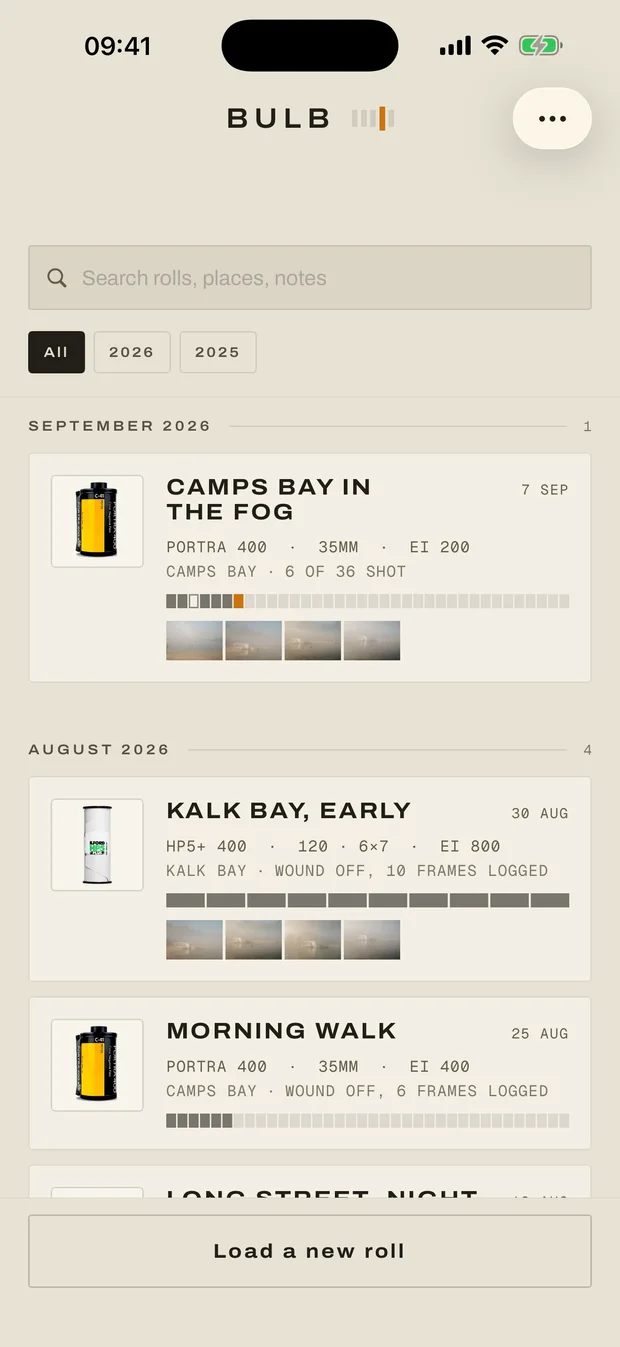
Your shelf, by month
Every roll knows the day it was shot and the place it was shot in, and neither was typed in.
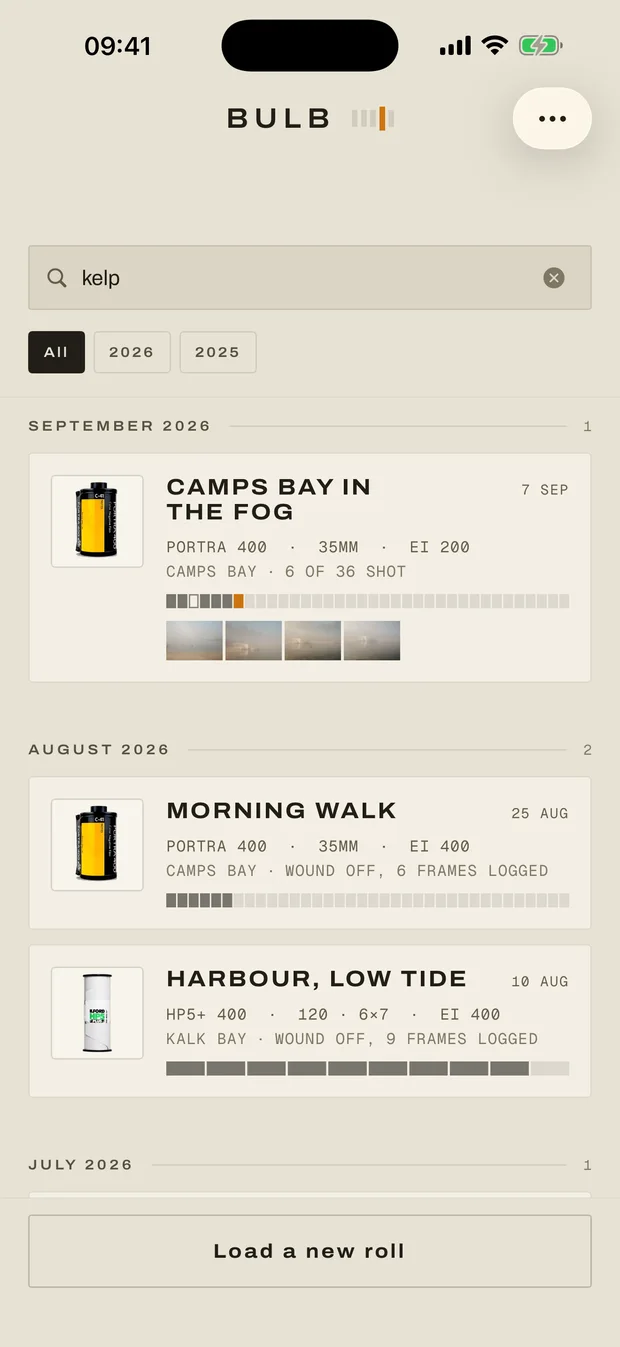
The roll with the kelp on it
Search the film, the camera, the place, and everything you ever said about a frame.
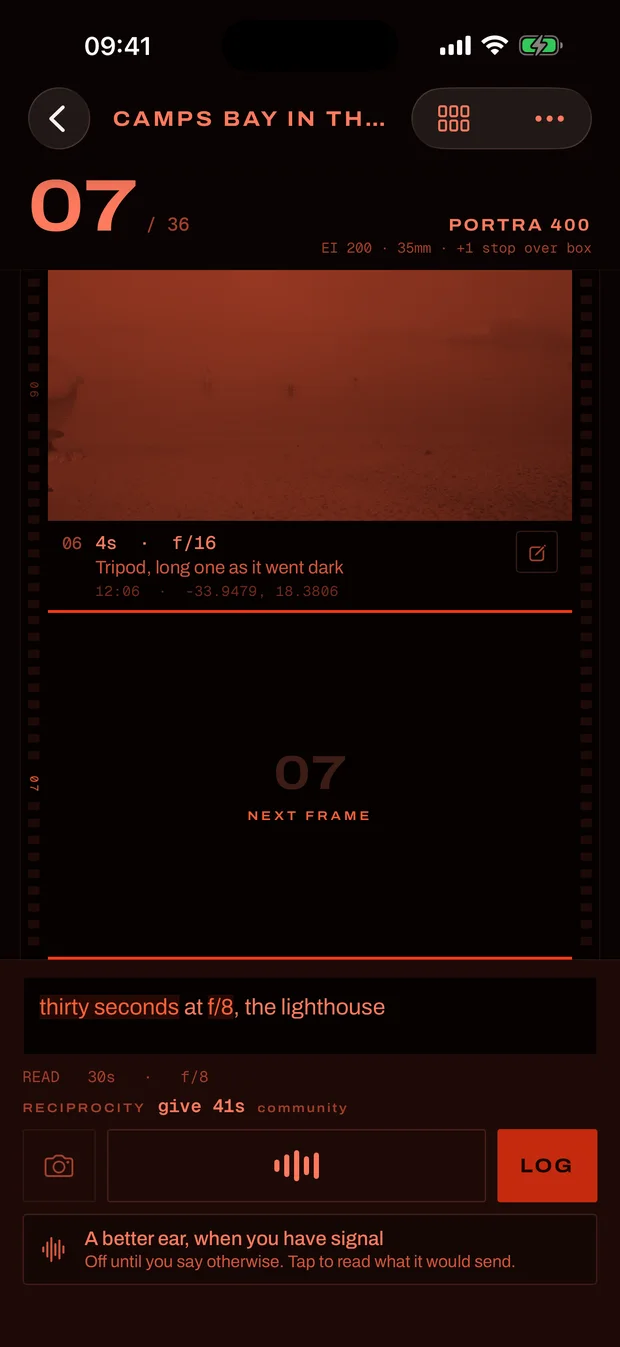
After dark it goes red
Blue and green light cost you the dark adaptation you spent twenty minutes acquiring. Once dusk is over, Bulb stops emitting them.
Everything else, at length.
The parts that need more than a sentence.
Tap it, or hold it down
A tap starts it listening and it settles by itself once you stop talking, which is what you want with the camera still at your eye. Hold the key and it keeps listening for as long as your thumb is there, however long you pause in the middle of the sentence. Nothing to say? SKIP winds the frame on, and it still counts, so the numbers line up with the lab.
Where you stood
A film camera writes nothing down, so the phone in your other hand takes one fix for each frame and it goes into the scan as real GPS tags. Lightroom puts the roll on a map. One fix per frame, reused for a minute and a half, never a track of your walk.
How well it hears
The phone's own recogniser listens while you talk, and it mishears f-stops. So when there is signal, the few seconds of you saying the frame go to Bulb's own server to be read by a larger model, with the film and camera you are using, and the sentence appears once you let go, with the words right. It is the only part of Bulb that sends anything anywhere, it uses a little data each time, and the audio is dropped once read. Without signal the phone reads it alone, helped by a second on-device model, 217 MB fetched once from the roll menu, if you have it. Nothing rewrites the sentence on its way to the screen: what you said is what the log keeps, and the parser reads the numbers out of it without altering a word.
It goes red after dark
The hour you are most likely to be typing into a phone is the hour a thirty second exposure is running. Once civil twilight ends Bulb turns red on black, which is why darkrooms and cockpit instruments are lit that way. Dusk is arithmetic on the coordinate your frames already carry: no network, no service, and you can force it on or off.
A hundred rolls, still findable
Shoot for a year and the shelf becomes an archive, so it sorts itself into months and every roll carries the day it was shot and the place it was shot in, both worked out from the frames rather than typed.
Small things, once
The cameras and lenses you have loaded before are a tap away on the next roll, newest first, and they go into the scans as Make, Model and LensModel. Delete a frame you logged by mistake and every frame after it moves down a number, so the log still matches the film.
Shoot a roll with it.
Bulb is on the App Store. It is free, it needs no account, and the log lives on your own phone. Say the frames as you shoot them, and when the scans come back, bulb.film/desk is where they meet the roll.
free · iPhone · iOS 17+ · no account, no subscription, no tracking